
Windows Troubleshoot
Common issues:
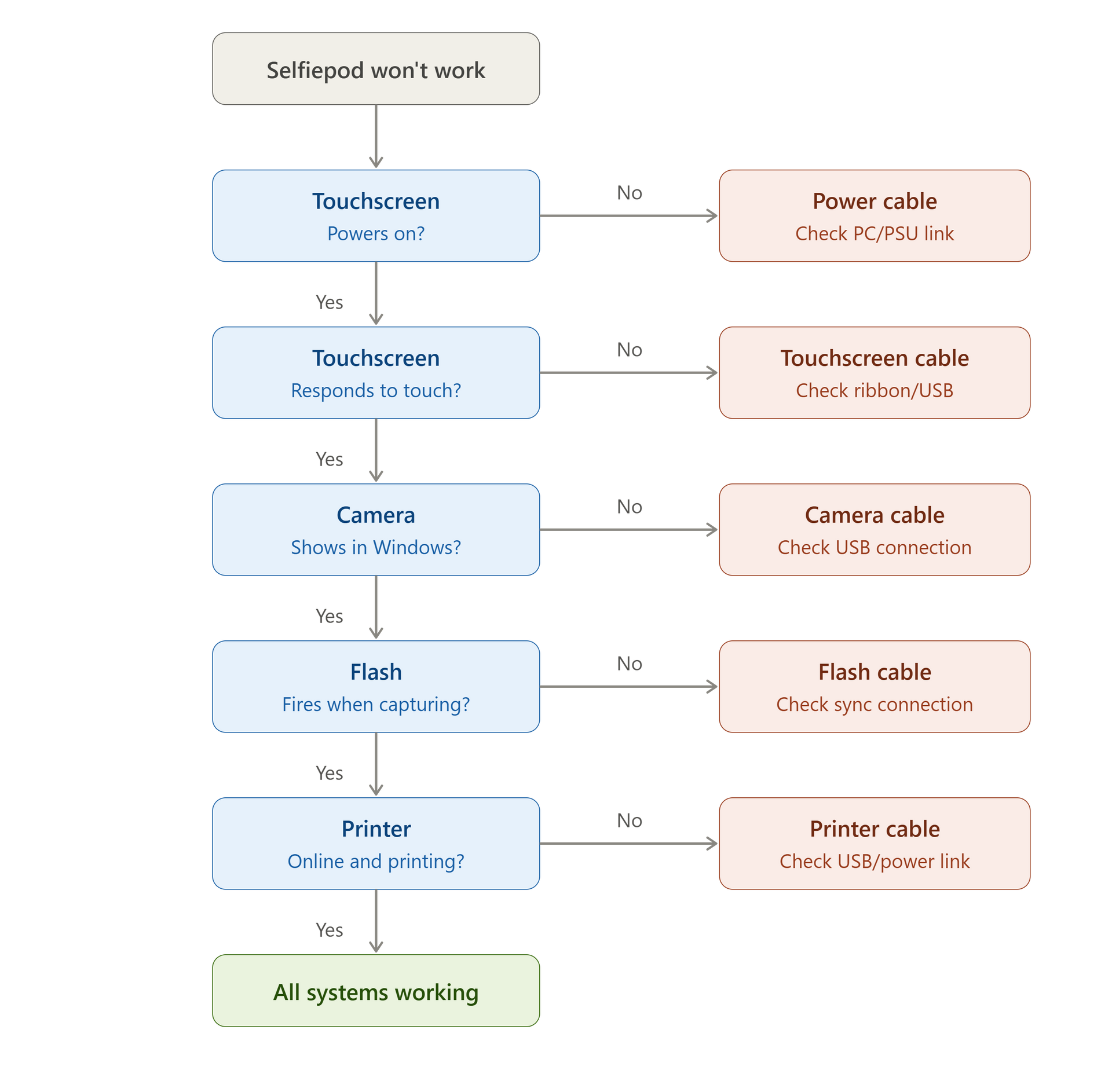
NEED PHOTOS OF ALL THIS
You just finished setting up the Selfiepod and nothing seems to be on , or its partly on.
There's a lot of cables, and this can be overwhelming, so let's start with the very bottom of the top part of the booth:
The very first step would be to see if your
IEC Block has a loose cable.
If everything is connected then you need to move on into the AC Adaptors , these will emit a green light, confirming that they are on.
Next step is an assessment from bottom to top of the upper part of the Selfie pod:
Since we checked the IEC + the AC adaptors , we can start with the PC , does it turn on?
no? -- Then check if the AC adapter is in the PC power slot, and then ensure all USB cables are in correctly.
yes? -- Let's move to the front of the booth and see if the Screen turns on with the windows.
The screen is not on ? 2 choices , either the power isnt turning the Screen on and we need to replug it , or the HDMI cable might be loose from the PC , or the Screen slot.
My Screen is on but my touchscreen isnt working -- Need to find the usb cable that goes from the pc into the side of the screen , unplug and plug it back in.
Screen + Touchscreen work -- Next step is just to open Lhama Booth and try the camera and flash
If there is no camera recognized , lhamabooth will say on the top right corner of the screen "Seaching for camera" , otherwise you will see a Canon XYZ model and you know it works.
Proceed for a test shot , testing the flash and the camera settings
Printer issues:
Printer issues follow this link , ensure you select the correct printer